Wireless Guest-Call and Queue Systems: The 2026 Guide to Frictionless Service
Great service feels invisible. Guests get help the moment they need it, and lines never spiral out of control. Behind that seamless experience sits practical technology: wireless calling devices and smart queue systems. In 2026, restaurants, clinics, warehouses, and retail floors depend on both to run calm, efficient operations.
This guide explains how wireless paging works, how a modern queue management system complements it, and how to deploy the combination without overspending or overcomplicating your setup.
Why Wireless Calling Transforms Frontline Service
Shouting across a floor is unprofessional and error-prone. Wireless calling replaces the noise with a discreet signal that reaches the right person instantly.
A guest presses a button and a server knows. A pharmacy patient is paged silently when a prescription is ready. A warehouse picker signals for a forklift without leaving the aisle. The technology removes wasted motion and wasted words.
Compact transmitters like the Hampster Plus give staff a reliable, long-range way to summon help or confirm readiness. Fewer missed cues mean faster, warmer service.
The Building Blocks of a Wireless Service System
Understanding the components helps you buy only what you need. Most setups combine a few core elements.
- Call transmitters: Buttons or pagers guests and staff press.
- Receivers and watches: Wearables that alert the responding team member.
- Repeaters: Extend coverage across large or multi-floor spaces.
- Display panels: Show which station or table needs attention.
- Analytics module: Logs response times for continuous improvement.
Response-time data is more valuable than it looks. The International Organization for Standardization frames service quality around measurable, repeatable performance, and logged call-to-response times give you exactly that evidence base.
How Does a Queue System Complement Wireless Calling?
Wireless calling handles individual requests. A queue system handles the crowd. Used together, they cover both the one and the many.
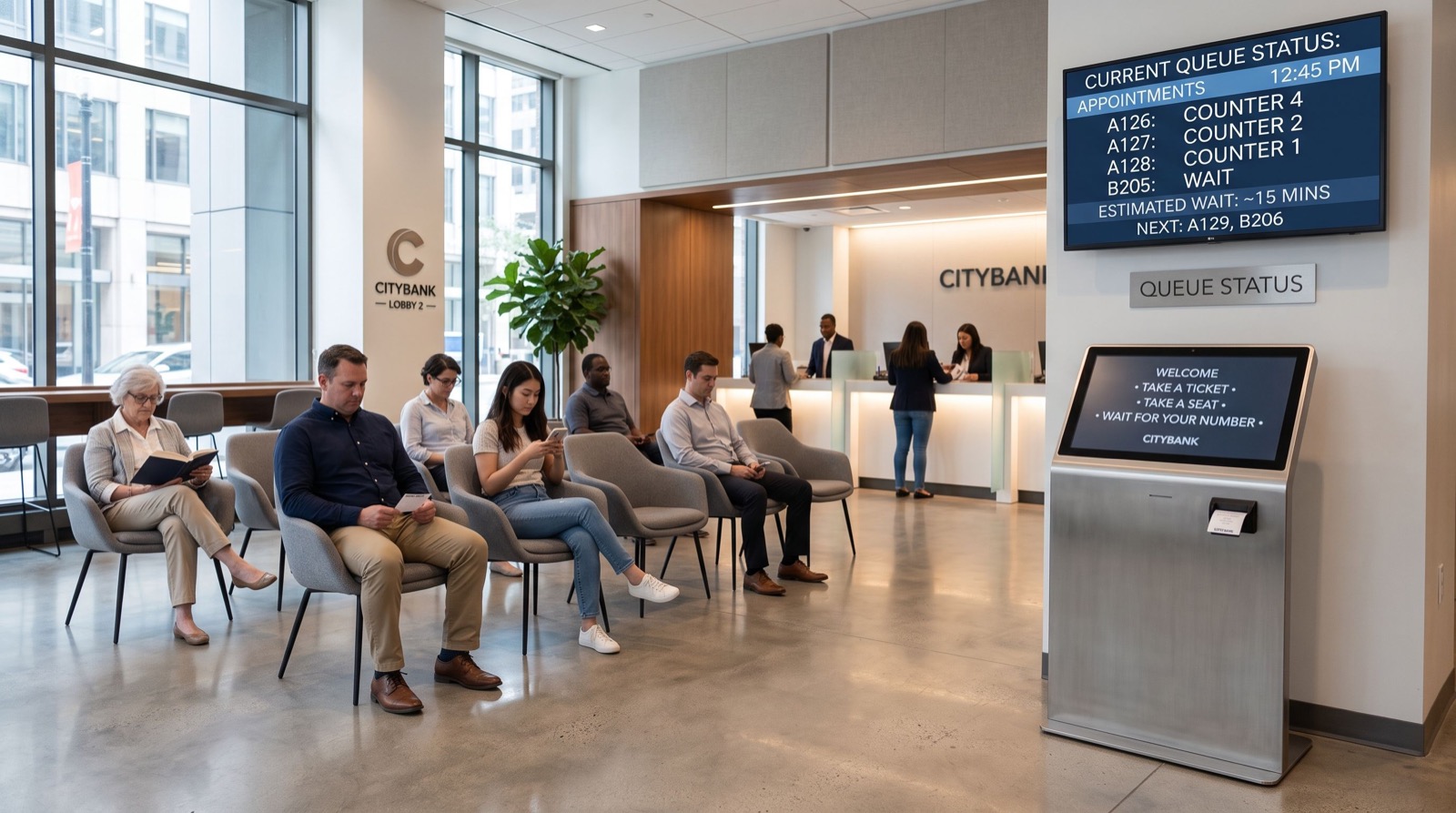
The queue platform issues tickets, routes visitors, and displays wait estimates. It smooths the front of the operation. Wireless calling then manages the last few meters, connecting each served guest to the right staff member.
Organizations scaling across multiple sites often standardize on one queue management system so every branch reports the same metrics. Consistency makes benchmarking and staff transfers painless.
Wireless Calling vs. Queue Systems
| Capability | Wireless Calling | Queue System |
|---|---|---|
| Best for | Individual requests | Managing crowds |
| Typical setting | Tables, aisles, wards | Counters, service halls |
| Customer visibility | Low, discreet | High, informative |
| Data captured | Response times | Wait and service times |
| Ideal use | Combined with queuing | Combined with calling |
Deploying the Combination the Right Way
A smooth rollout follows a clear sequence. Skip steps and you invite dead zones and confusion.
- Survey the space for coverage and identify where repeaters are needed.
- Define call categories so alerts route to the correct team.
- Place queue kiosks and displays at natural entry points.
- Train staff on both wearables and dashboard workflows.
- Review response and wait data weekly, then adjust staffing.
Coverage testing is the step people skip most often. Walk every corner with a live device before signing off. A single dead zone can undermine the whole system’s credibility.
Practical Advice From Real Deployments
A few hard-won tips save time and money.
Label everything. Numbered transmitters and clearly mapped tables prevent misrouted calls during busy shifts.
Charge on a schedule. Wearable receivers die at the worst moment. Build a nightly charging routine into closing duties.
Coordinate installation with your fit-out. If you are opening or renovating a location, sync the wireless and queue install with construction. Bringing in trusted professionals ensures power, cabling, and mounting are ready when the hardware lands.
Industry Use Cases That Prove the Value
Wireless calling and queue systems are not tied to one sector. Their flexibility shows up across very different floors.
Restaurants and cafes use table-side call buttons so guests summon a server without waving. Diners feel attended to, and staff cover more tables without rushing.
Healthcare clinics pair silent patient paging with fair queue ticketing. Waiting rooms stay calm, privacy is respected, and clinicians gain response-time data for audits.
Retail and showrooms place help buttons in aisles so shoppers reach staff at the moment of decision. That timely contact lifts conversion on higher-value goods.
Warehouses and logistics let pickers signal for equipment or supervisors without leaving their aisle, cutting wasted walking and keeping fulfillment moving.
Budgeting and Scaling Your System
Cost discipline keeps the project sensible. Start small, prove the value, then grow deliberately rather than buying everything upfront.
- Begin with the highest-traffic zone where impact is easiest to measure.
- Add repeaters only where the coverage survey shows gaps.
- Choose a platform that scales to more transmitters without a rebuild.
- Reserve budget for spare receivers and a nightly charging station.
- Reinvest measured savings into expanding to the next zone.
This staged approach protects cash flow and builds internal buy-in. Once staff see faster response times and calmer floors in the pilot area, expanding to the rest of the site becomes an easy decision backed by real numbers rather than promises.
Frequently Asked Questions
What range do wireless calling systems cover?
Typical transmitters reach across a single-floor venue, and repeaters extend coverage to multi-floor or large sites. A site survey confirms real-world range, since walls and metal shelving can shorten it in practice.
Can a queue system and wireless calling share one dashboard?
Increasingly, yes. Integrated platforms log both queue metrics and call-response times in one view. This unified reporting helps managers see the full service picture and staff each area appropriately.
How do I prevent interference between devices?
Choose systems on licensed or well-managed frequency bands and assign unique IDs to each transmitter. Proper configuration and a coverage survey eliminate cross-talk even in dense, multi-device environments.
Are these systems suitable for healthcare settings?
Yes. Silent paging respects patient privacy and quiet zones, while queue systems organize waiting rooms fairly. Together they reduce crowding and give clinical staff measurable response data for continuous improvement.
Conclusion
Frictionless service in 2026 comes from pairing the right tools. Wireless calling covers the personal touch, while a robust queue management system tames the crowd. Deploy them together on solid infrastructure, test coverage honestly, and act on the response data. Do that, and your floor runs calmly no matter how busy the day gets.